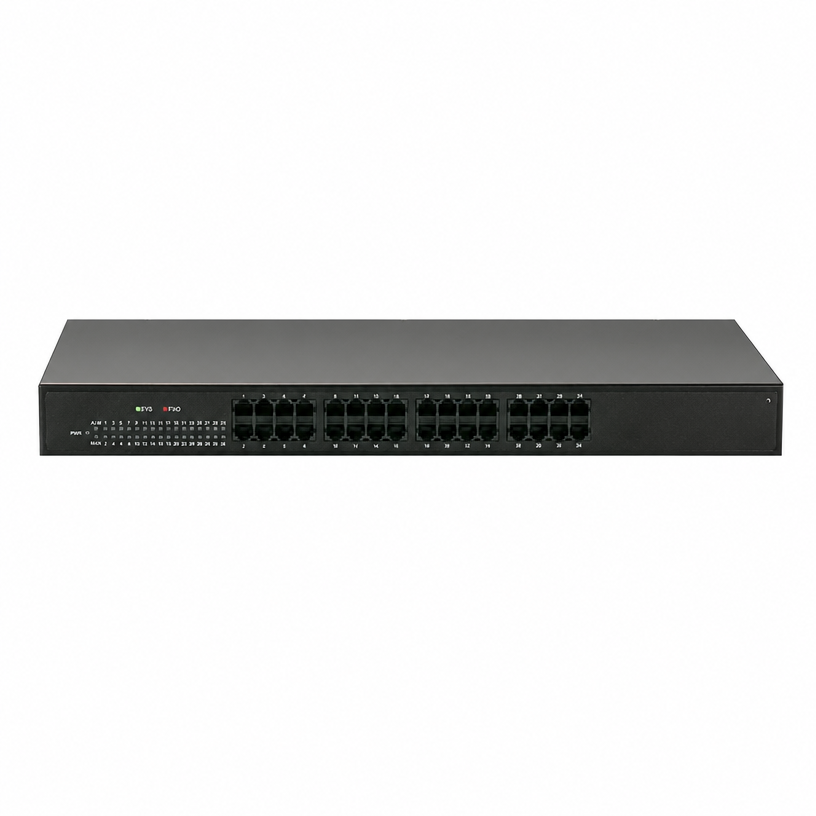
Two letters decide how your business connects to the phone network, and most buyers get them backwards. FXO connects to the line coming from your telephone company. FXS connects to the telephone itself. Once you know which side of the cable you are on, choosing a VoIP gateway is straightforward — and picking the wrong one is the most common mistake in VoIP projects.
What FXO and FXS actually mean
- FXO (Foreign Exchange Office) behaves like an office — a fax machine or a phone plugged into a wall jack. It expects to receive dial tone from the carrier. An FXO gateway accepts analog PSTN lines and converts them into SIP trunks for your IP-PBX.
- FXS (Foreign Exchange Station) behaves like a station — the wall jack itself. It supplies dial tone, ringing voltage and battery. An FXS gateway provides analog ports for your existing telephones and turns them into SIP extensions.
A useful mnemonic: FXS serves the phone (Station = the set), FXO talks to the office (the carrier).
How to tell which one you need
Ask one question: what is on the far end of the cable?
Quick test: if lifting a handset gives you dial tone, that cable is an analog line — it belongs on an FXO port. If the cable stays silent until a phone is plugged in and rung, it is an extension — it belongs on an FXS port.
Side-by-side comparison
Both families share the same core VoIP feature set: SIP V2.0 (RFC 3261), open-standard registration to IP-PBX and hosted platforms, primary and backup SIP accounts, G.711/G.723.1/G.729A/B/G.726/iLBC/AMR codecs, G.168 echo cancellation, T.38 fax support, call routing and number manipulation, call budgeting with CDR records, and web/SNMP/TR-069 management.
Scenario 1 — Keep the carrier lines, move to an IP-PBX (FXO)
You have four analog lines and a failing legacy key system, and you cannot abandon the numbers. An FXO gateway takes those lines, registers them as SIP trunks, and your IP-PBX owns the calls. Sites normally size to the number of lines they keep, and often reserve one or two FXO ports purely as failover: if the SIP trunk or the internet link fails, outbound calls route out over the analog lines.
Scenario 2 — Keep the analog phones, move to an IP-PBX (FXS)
Your desk phones are reliable and already paid for, but you want voicemail, recording, call accounting and centralised management. An FXS gateway supplies the analog ports those phones need, and each phone becomes a SIP extension. This is usually the cheapest route to VoIP for an existing site: no new handsets, no rewiring — one 1U gateway in the comms room. A 16- or 32-port model covers a floor or a small office; 4- and 8-port models suit branches and workshops.
Scenario 3 — You need both
Running both interfaces at once is a legitimate architecture, not a workaround:
- FXO ports terminate the carrier lines, including failover lines.
- FXS ports keep the existing analog handsets working.
- The IP-PBX in the middle handles routing, voicemail, conference and call accounting alongside IP phones.
Build it with two gateways (one FXO, one FXS), or with a hybrid IP-PBX that already has FXS and FXO ports built in — the UC200-15 and UC200-30, for example — and add gateways as the site grows. For a single line plus one phone, a combined adapter such as the SPA232D (1 FXS + 1 FXO) covers both ends in one box.
Sizing the gateway: devices, not people
- Count physical endpoints. An FXO port is one carrier line; an FXS port is one analog device (phone, fax, cordless base). IP extensions can far outnumber gateway ports, because IP phones share the network rather than the ports.
- Size for peak use, then add two spare ports. Analog lines and handsets are physical: if a fax machine loses its port, the site loses its fax line.
If you are unsure how many lines the business needs, work that out before buying hardware.
FAQ
Q1. In one sentence, what is the difference between FXO and FXS? FXO connects your system to the carrier’s lines; FXS connects it to analog telephones.
Q2. Can an FXO port power an analog phone? No. FXO expects to receive dial tone; dial tone, ringing voltage and battery come from FXS ports.
Q3. Can I use an FXO gateway without an IP-PBX? It needs a SIP platform to register with — IP-PBX, softswitch or hosted VoIP. It converts lines into SIP trunks; it is not an internal call system by itself.
Q4. One large gateway or several small ones? A single 32-port unit costs less per port and is easier to manage; two 16-port units in different racks add resilience and shorten analog cable runs, which are distance-limited.
Q5. Do these gateways support fax? Yes — T.38 FoIP with T.30 (V.17) up to 14.4 kbps, plus DTMF in-band, RFC 2833 and SIP INFO signalling.
Q6. Will they work with my IP-PBX or hosted VoIP provider? Yes, provided the platform speaks standard SIP: they register as SIP endpoints with primary and backup accounts, number manipulation and digit maps.
Choosing in one line
If the cable carries a phone line, you need FXO. If it ends at a telephone, you need FXS. Most growing businesses end up needing both — and a hybrid IP-PBX with gateways at the edge scales without locking you into either technology.
VIN Telecom manufactures both families in 4, 8, 16 and 32-port versions, so one platform, one management tool and one firmware logic cover the whole site. Tell us what is on each cable and we will map the ports for you.